
Ryobi CDL-1802P Drill: Battery Usage Notes & Maximizing Battery Life
1. Understanding the Ryobi CDL-1802P Battery
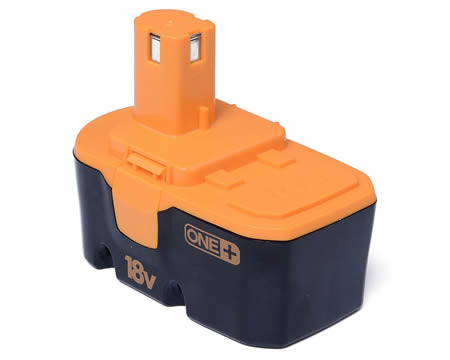
The Ryobi CDL-1802P drill typically uses 18V ONE+ lithium-ion batteries, known for their longevity and compatibility across Ryobi’s cordless tool range. These batteries are designed for high performance, but their lifespan depends on usage habits, charging practices, and storage conditions.
2. Maximizing Ryobi Tool Battery Power Life: Tech Tips
A. Charging Best Practices
- Avoid Overcharging: Unplug the charger once the battery is fully charged. Most Ryobi chargers have an auto-shutoff feature, but it’s good practice to remove the battery promptly.
- Use the Right Charger: Always use a Ryobi-approved charger. Fast chargers can generate more heat, which may reduce long-term battery health if used excessively.
- Charge at Room Temperature: Charge batteries in a cool, dry place (ideally between 10°C/50°F and 30°C/86°F). Extreme temperatures can degrade battery cells.
B. Storage Tips
- Store Partially Charged: If storing for more than a month, keep the battery at 40-60% charge. Fully charged or depleted batteries lose capacity faster over time.
- Avoid Heat and Moisture: Store batteries in a cool, dry environment. Prolonged exposure to heat (e.g., direct sunlight or a hot car) accelerates degradation.
- Remove from Power Tool: If not in use, remove the battery from the drill to prevent parasitic drain.
C. Usage Habits
- Avoid Deep Discharges: Lithium-ion batteries last longer if you avoid fully draining them. Recharge when the battery drops to 20-30%.
- Use the Correct Battery for the Job: For heavy-duty tasks, use high-capacity (e.g., 4.0Ah or 5.0Ah) batteries to reduce strain and heat buildup.
- Let the Ryobi Cordless Drill Battery Cool: After intensive use, allow the battery to cool for 10-15 minutes before recharging.
D. Power Tools Battery Maintenance
- Clean Contacts: Regularly clean the battery and tool contacts with a dry cloth to ensure a good connection and prevent power loss.
- Rotate Batteries: If you have multiple batteries, rotate their use to balance wear and extend overall lifespan.
E. Firmware and Tool Settings
- Eco Mode: Some Ryobi drills feature an “Eco” mode, which reduces power output and extends runtime. Use it for lighter tasks.
- Firmware Updates: Check Ryobi’s website or app for firmware updates that may optimize battery performance.
3. Region-Specific Tips for US, UK, and AU Users
- Voltage Compatibility: Ryobi ONE+ batteries are universal, but chargers may differ by region. Ensure your charger matches your local voltage (e.g., 120V for US, 240V for UK/AU).
- Warranty and Support: Register your battery with Ryobi for warranty coverage. In the US, UK, and AU, Ryobi offers 3-year limited warranties on ONE+ batteries.
- Recycling Programs: Ryobi and local retailers often provide battery recycling programs. In the US, UK, and AU, check with stores like AussieBatt, Home Depot, Bunnings, or Screwfix for disposal options.
4. Troubleshooting Common Issues
- Reduced Runtime: If the battery drains quickly, recalibrate it by fully charging and discharging it once.
- Overheating: Stop using the battery if it becomes excessively hot. Let it cool before recharging.
- Non-Responsive Battery: Try cleaning the contacts or resetting the battery by removing and reinserting it.
5. Longevity Expectations
With proper care, Ryobi 18V lithium-ion RB18L50 batteries can last 3-5 years or 300-500 charge cycles. Heavy use or poor maintenance may shorten this lifespan.