
Complete 2026 guide to BL-5C battery replacement Australia. Learn specs, where to buy Nokia BL-5C battery Australia, DIY steps, safety, and Nokia battery recycling Australia for classic Nokia phones
If you are an Aussie who still carries a classic Nokia as a work phone, emergency backup, or favourite retro collectible, you already know the BL-5C is the unsung hero of 2000s mobile tech. For tradies on construction sites, farmers in regional areas with patchy charging access, and anyone who values a phone that just won’t break, this tiny battery has kept devices running through heat, dust, and drops for over two decades.
BL-5C is a standardised 3.7V lithium-ion battery became Nokia’s most ubiquitous power pack throughout the 2000s. The standard model has a typical capacity of 1,020 mAh, with premium third-party variants sometimes offering slightly higher capacity for heavy use. Its uniform form factor made it compatible with dozens of Nokia devices, including the Nokia 6230i, 6330, 6263, 6267, 6270, 3120, 6600, 110, N70, N72, and N91, plus a handful of portable radios and retro gaming devices.
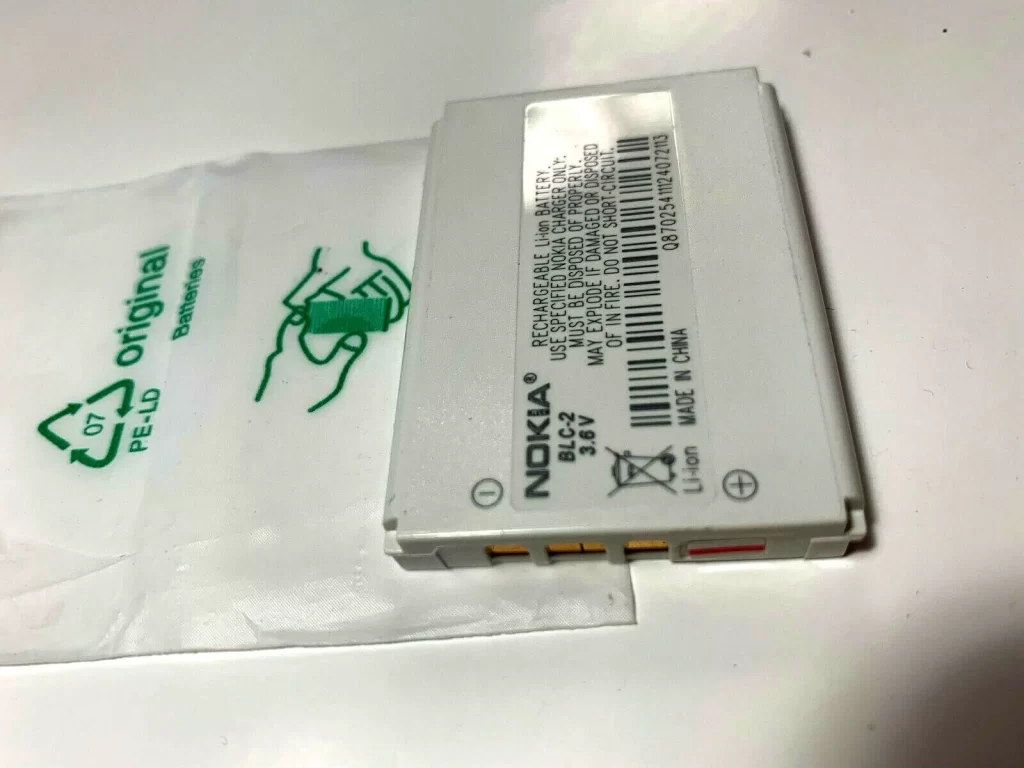
Over 300 million BL-5C units were produced globally by Nokia’s network of authorised batteries suppliers during its peak production run, making it one of the most widely manufactured phone batteries of all time. In Australia, millions of these batteries were sold alongside Nokia handsets through Telstra, Optus, and local retailers.
Signs Your Nokia BL-5C Battery Needs Replacing
Lithium-ion batteries naturally degrade over 3–5 years, and Australia’s hot summer weather can speed up wear, especially if you leave your phone in a hot ute or work vehicle. Watch for these common signs it’s time for a BL-5C battery replacement Australia:
- Rapid power drain: Your phone dies by midday even with light use, and standby time drops to less than a day.
- Battery swelling: The back cover of your Nokia feels puffy or won’t clip shut properly — a swollen battery is a fire risk, so replace it immediately.
- Random shutdowns at 20% charge (or higher): Your phone turns off suddenly even though the battery indicator shows plenty of charge left.
- Overheating while charging: The battery gets uncomfortably hot to the touch during charging, rather than just slightly warm.
- Slow or incomplete charging: It takes twice as long to charge as it used to, or it never reaches a full 100% charge.
Where to Buy a Replacement BL-5C battery in Australia
Genuine original Nokia BL-5C batteries are extremely rare in 2026 — most remaining OEM stock is over 10 years old and already degraded, so a high-quality third-party A-grade battery is almost always a better, more reliable choice. When you’re looking to buy BL-5C battery Australia, stick to these trusted local retailers.
For customers in rural and remote areas, most major retailers ship via Australia Post, with delivery times of 2–5 business days to most country towns. No matter where you shop, always look for A-grade battery cells, a minimum 12-month warranty, and safety certifications including CE, MSDS, and UN38.3 — these are non-negotiable for lithium battery safety in Australia.
Related: Best Nokia phones still worth using in 2026
How to Replace It Yourself — Step-by-Step
One of the best things about classic Nokia phones is how easy battery replacement is — no special tools or technical skills required for most models. Follow this safe step-by-step guide for your Nokia BL-5C battery Australia replacement:
- Power off completely: Turn off your Nokia and unplug any charging cables before you start. Never work on a powered-on phone with a lithium Nokia battery.
- Remove the back cover: Locate the small release notch on the bottom or side of the phone. Pry gently with your fingernail or a plastic spudger — never use a metal screwdriver, as you can scratch the casing or puncture the battery.
- Remove the old battery: Slide the BL-5C out of the compartment. If it’s swollen and stuck, do not pry it forcefully — stop and take it to a professional repair shop to avoid fire risk.
- Clean the contacts: Wipe the gold battery pins inside the phone with a dry, lint-free cloth to remove any dust or corrosion.
- Insert the new battery: Line up the gold contacts on the new BL-5C with the pins in the phone, then press it gently into place.
- Reassemble and test: Clip the back cover back on, power on the phone, and confirm it recognises the new battery.
If you’re not confident opening your phone, or if you have a rare sealed Nokia model, always visit a local professional repair tech instead of forcing it.
Lithium-ion batteries pose a fire risk if disposed of incorrectly, especially in Australia’s hot, dry conditions. Never throw an old BL-5C in your household rubbish bin — even a dead battery can short-circuit and start a fire in a rubbish truck or landfill.
Mobile Phone Battery Usage FAQs
Is the BL-5C still being made in 2026?
Yes — while Nokia no longer produces original OEM units, reputable third-party manufacturers still make high-quality A-grade BL-5C batteries for replacement and retro use, with modern cell technology that often outperforms old original stock.
Will this work for my Nokia 6230i battery replacement?
Absolutely. The BL-5C has a standardised form factor and voltage, so it is fully compatible with the Nokia 6230i and all other BL-5C-powered Nokia models, regardless of what year your phone was made.
Are aftermarket BL-5C batteries safe?
As long as you buy from a trusted Australian retailer and confirm the battery has UN38.3, CE, and MSDS certifications plus a warranty, premium A-grade aftermarket batteries are just as safe as original OEM units.
How long will a new BL-5C last?
A quality A-grade BL-5C will last 3–4 years with normal use, depending on charging habits and exposure to extreme heat.
The Nokia BL-5C is a legendary battery for a reason — it powers some of the most reliable phones ever made, and it’s still a lifeline for thousands of Aussie tradies, farmers, retro collectors, and anyone who wants a no-fuss backup phone. With a quality replacement battery, your classic Nokia can keep running for another 3–5 years, no expensive upgrade required.