
Building upon the universal lithium-ion principles established earlier—optimal state of charge, critical temperature windows, and BMS protection logic—extending the battery life of a Dyson V10 stick vacuum cleaner during its highest-power operation requires a firmware-aware approach to usage and rigorous thermal management. Unlike power tools with sustained high-draw periods, the V10’s design philosophy treats Max mode as a short-burst resource. Optimizing its lifespan is less about modifying the battery and more about aligning user behavior with the embedded firmware and thermal protection parameters defined by Dyson.
🔋 Core Strategy: Understanding & Respecting the Max Mode Design Intent
The single most impactful factor for battery longevity is how you use the available power modes. Dyson’s official guidance is unequivocal: Max mode is designed for powerful, intensive bursts of spot cleaning, not for constant use. Using it constantly accelerates battery degradation.
- Runtime Trade-off is Extreme: The firmware governs significant power allocation differences. While the Dyson V10 battery power can deliver up to 60 minutes of fade-free suction in its persistent Eco mode, engaging Max mode reduces runtime to approximately 5-10 minutes. This is a deliberate firmware-managed trade-off between absolute suction power and total operational time.
- The “Spot Cleaning” Principle: To extend overall Dyson battery cycle life, reserve Max mode exclusively for tackling concentrated dirt, ground-in debris on carpets, or pet hair spots. Immediately switch back to Auto or Normal mode once the intensive task is complete. Using Auto mode (where available) allows the firmware to intelligently adjust suction based on floor type, optimizing battery consumption for general cleaning.
🌡️ Proactive Thermal Management: A Three-Stage Protocol
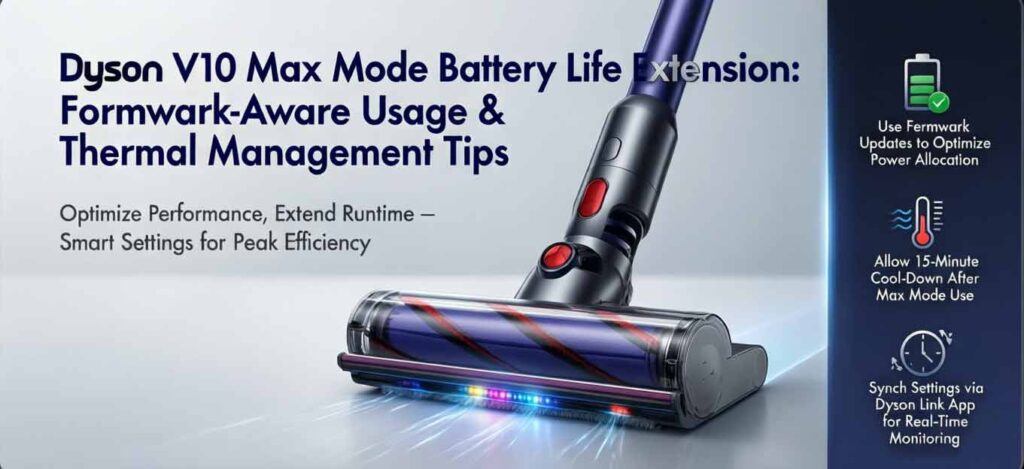
Heat is the primary accelerator of lithium-ion battery capacity fade. The V10’s BMS includes thermal protection, but user practices prevent it from being triggered unnecessarily.
- In-Use Temperature Monitoring:
- Avoid Ambient Extremes: Do not use the vacuum in very hot environments (e.g., cleaning a hot car in summer) or leave it in direct sunlight. Hot environments speed up battery aging.
- Recognize Thermal Load: Max mode inherently generates more heat due to higher current draw. For extended whole-home cleaning, using Normal/Eco mode maintains lower internal temperatures.
- Post-Use & Charging Thermal Discipline:
- Mandatory Cool-Down: After any cleaning session, especially one involving Max mode, allow the machine to cool down to near room temperature before docking it to recharge. Charging a hot Dyson SV12 battery compounds thermal stress and accelerates chemical degradation.
- Optimal Charging Environment: Charge the vacuum at room temperature. Avoid charging in environments below 5°C (41°F) or above 40°C (104°F), as the firmware may inhibit charging to protect the battery cells.
- Storage for Long-Term Health:
- Store the vacuum in a cool, dry place between 18°C–28°C (64°F–82°F), away from radiators or direct sunlight. For long-term storage, Dyson recommends charging the battery to around 50% SOC.
⚙️ Firmware & System Synergy for Efficiency
Battery life is indirectly extended by maintaining peak system efficiency, reducing the motor’s power demand for any given task.
- Use Genuine Batteries & Chargers: Dyson strongly recommends using only genuine components. Third-party batteries may lack the correct firmware handshake for optimal power management and safety cutoff, while unofficial chargers may not follow the correct voltage/current profile, potentially stressing the battery.
- Leverage Intelligent Modes: If your V10 model includes an Auto mode, use it. This firmware feature adjusts suction power in real-time, preventing unnecessary battery drain on low-pile carpets or hard floors compared to running in a fixed, high Manual mode.
- Monthly Full Discharge Cycle: Dyson officially recommends letting the battery run down to empty at least once a month to help calibrate the firmware’s battery gauge and prolong life. If you have a spare battery, alternating use facilitates this natural discharge cycle.
🧹 Maintenance Practices: The Indirect Battery Lifespan Extenders
A well-maintained vacuum places less demand on the battery, a principle consistent with the thermal management of other devices like the Roomba.
- Clean Filters Monthly: A clogged filter is a primary cause of reduced suction and increased motor strain. Rinse the washable filters with cold water at least monthly and ensure they are completely dry before reinserting. A struggling motor draws more current, depleting the battery faster and generating excess heat.
- Empty Bin and Clear Blockages Promptly: Similarly, a full dust bin or an obstruction in the brush bar, wand, or hose forces the motor to work harder. Maintaining clear airways ensures efficient operation, minimizing unnecessary battery drain during all modes of use.
By adhering to this protocol—judicious, short-burst use of Max mode, strict thermal management before/during/after charging, and maintaining overall machine efficiency—you directly align with the Dyson V10’s engineered operational parameters. This approach minimizes stress on the lithium-ion cells, thereby extending their usable lifespan and maintaining performance over time.