
AussieBatt Advantage: More Power, Less Hassle
Upgrading your Roomba’s battery is one of the best investments you can make. The BattAussie battery isn’t just a replacement; it’s a significant enhancement. Here’s why it stands out:
- Up to 50% Longer Runtime: With a robust 4000mAh capacity, this battery significantly outperforms the original 3000mAh battery. This means longer cleaning sessions and the ability to cover larger areas on a single charge.
- Effortless Installation: Designed as a direct drop-in replacement, you don’t need special tools or technical skills. If you can use a screwdriver to open the battery compartment, you can perform this upgrade in minutes.
- Industrial-Grade Durability: Made from high-quality Ni-MH cells, this battery is built for reliability and a longer lifespan, outlasting the original manufacturer’s battery and saving you money over time.
- Perfect Compatibility: It works seamlessly with your existing iRobot charger, so there are no extra accessories to buy.
Compatibility Check: Will It Fit Your Roomba?
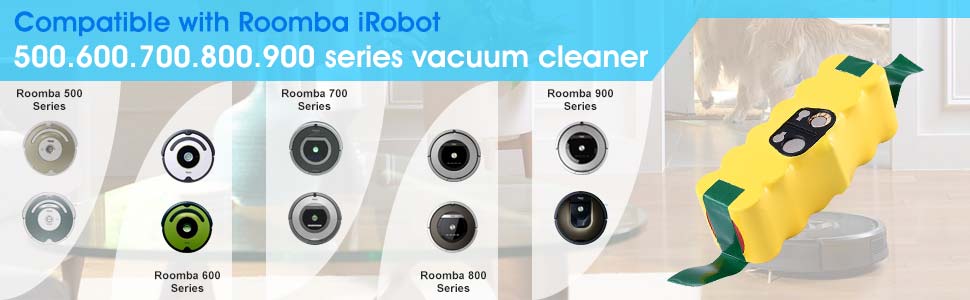
This BattAussie battery is engineered for broad compatibility across many popular Roomba series. It is a perfect replacement for the iRobot Roomba 780 and many others.
Compatible with the following iRobot Roomba series:
Your Quick-Start Upgrade Guide for iRobot Roomba Battery
Giving your Roomba a new lease on life is incredibly simple. Follow these steps for a successful battery replacement and ongoing care.
 Installation in Minutes
- Safety First: Ensure your Roomba is turned off and disconnected from the charging dock.
- Access the Battery: Flip the Roomba over and use a small screwdriver to remove the side brush and the screws holding the bottom cover.
- Swap the Batteries: Lift the old battery out and place the new 4000mAh battery into the compartment.
- Reassemble: Secure the bottom cover and reattach the side brush.
Charging and Maintenance Tips
- Initial Charge: Before its first cleaning run, place your Roomba on its dock and allow the new battery to charge fully.
- Keep it Active: NiMH batteries perform best when used regularly. Try to run your Roomba at least once a week to maintain battery health.
- Proper Storage: If you plan to not use your Roomba for an extended period, fully charge the battery and store it in a cool, dry place.