
Troubleshooting Guide: When Your Ryobi ABP1801 Cordless Drill Battery Won’t Charge
If your Ryobi power tool battery is already refusing to charge, please don’t throw it out yet. Here’s the diagnostic sequence that actually works.
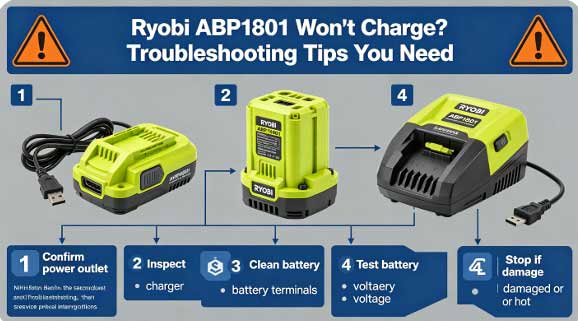
Step 1: Rule out the charger. Grab a known-good Ryobi ABP1801 tool battery and put it on the charger. If it charges normally, your charger is fine. If both batteries fail, the charger is the problem. Ryobi’s LED indicators give you useful clues: a flashing red light usually means the battery is either too hot or has been deeply discharged.
Step 2: Clean the contacts. The metal terminals where the battery clicks into the charger can accumulate dirt, corrosion, or chalky residue. Wipe them with a dry cloth. If you see visible corrosion, a wire brush will remove it—but corroded contacts usually mean the cordless drill battery is on its way out.
Step 3: The “pulse charging” trick. Many NiMH packs that have sat unused for months drop below the voltage threshold where the charger will recognize them. A well-known workaround: place the battery on the charger, plug it in for 5 to 10 seconds, then unplug it. Wait a few seconds and repeat 5 to 10 times. This can “wake up” a deeply discharged battery pack enough for the charger to take over–.
Step 4: If the battery is under three years old, contact Ryobi. All Ryobi batteries carry a three-year limited warranty that explicitly covers charging failures. Call 1-800-525-2579 and explain the situation. You may get a free replacement.
If none of that works, the Ryobi tool battery pack is genuinely done. And that’s when a replacement makes more sense than fighting with a dead battery.