
In today’s fast-paced household and commercial cleaning routines, a reliable cordless vacuum is a non-negotiable tool—and its battery life can make or break your cleaning efficiency. For Australia Dyson vacuum cleaner owners, one question consistently tops the list: How long does a Dyson vacuum battery actually last?
Unlike disposable cleaning gadgets, Dyson’s lithium-ion batteries are engineered for longevity—but their lifespan isn’t set in stone. With proper care, smart usage, and regular maintenance, you can maximize your battery’s performance for years. Let’s break down everything you need to know about Dyson vacuum battery lifespan, factors that impact durability, and actionable tips to extend its life.
What’s the Average Lifespan of a Dyson Vacuum Battery?
Dyson’s advanced lithium-ion batteries (found in popular models like the V8, V10, V11, and V15) are designed to outperform traditional Ni-Cd batteries—and their lifespan reflects that.
- Typical Lifespan: With regular, proper use and maintenance, most Dyson vacuum batteries last 6 to 10 years, according to Dyson AU’s official battery care guidelines and real-world user reports. Newer models like the V11 and V15, equipped with intelligent battery management systems, often hit the 8–10 year mark.
- Model Variations: The Dyson V7, a fan favorite for small homes, may require more frequent attention—some users note battery performance dips after 4–5 years if overused in turbo mode or neglected. In contrast, the V10 and V11’s adaptive power regulation helps preserve battery health, extending their lifespan by 2–3 years on average.
- Charge Cycle Reality: Dyson batteries are rated for 500–800 full charge cycles (from 20% to 100% capacity) before their performance drops to 80% of the original. For most households (cleaning 2–3 times weekly), this translates to 6+ years of reliable use.
Key Factors That Impact Dyson Vacuum Battery Lifespan
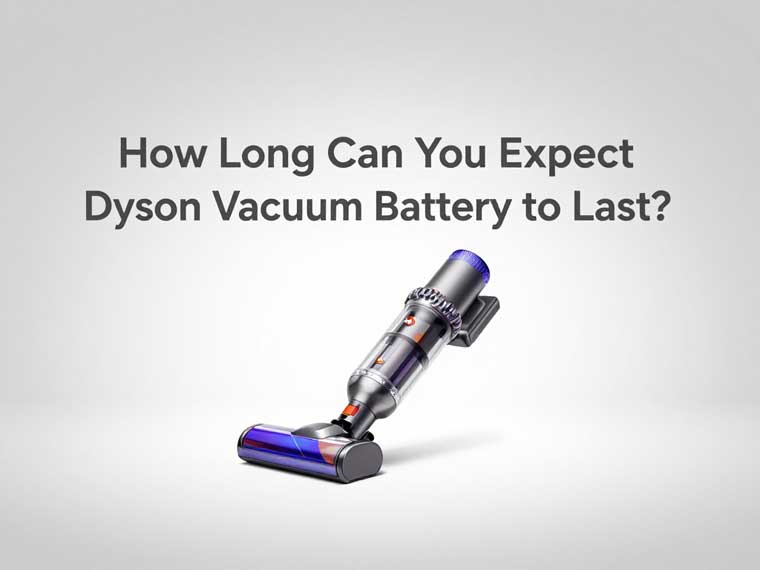
Not all Dyson battery experiences are the same. Several variables can shorten or extend your battery’s life—here’s what to watch for:
1. Usage Habits: Avoid Overworking the Battery
Dyson’s “Max” or “Turbo” modes deliver powerful suction for deep cleaning—but using them constantly strains the battery. These modes drain power 2–3x faster than “Auto” or “Eco” modes, accelerating wear. For daily tidying (e.g., crumbs on hardwood floors), stick to Auto mode; reserve Max mode for tough spots like high-pile carpets or pet hair.
2. Maintenance: Small Tasks = Long-Term Gains
Neglecting basic upkeep is one of the biggest causes of premature battery failure. Here’s what Dyson recommends:
- Clean Filters Regularly: Clogged HEPA filters force the motor to work harder, which drains the battery faster. Wash reusable filters every 3–6 months (or as directed in your model’s manual) to keep airflow optimal.
- Check for Blockages: Debris in the hose, wand, or brush roll restricts suction and increases battery load. A quick weekly check can prevent unnecessary strain.
- Charge Smart: Avoid two common mistakes: overcharging (leaving the battery on the dock 24/7 after it’s full) and fully depleting the battery (letting it die completely before recharging). Dyson’s batteries work best when charged when they hit 20% remaining capacity—this prevents chemical degradation in the cells.
3. Storage and Environment: Protect Against Extreme Conditions
Lithium-ion batteries are sensitive to temperature and humidity. Storing your Dyson vacuum in a garage, porch, or direct sunlight can shorten battery life by 30% or more:
- Optimal Storage: Keep your vacuum in a cool, dry area (18°C–28°C / 64°F–82°F), away from radiators, heaters, or damp basements.
- Cold Weather Care: Dyson vacuums won’t operate or charge if temperatures drop below 3°C (37°F)—this is a safety feature to protect the battery. If you clean your car in winter, bring the vacuum inside to warm up before charging.
Signs Your Dyson Vacuum Battery Needs Replacement
Even with the best care, all batteries eventually wear out. Here are the red flags to watch for:
- Diminished Run Time: If your vacuum used to clean your entire home on one charge but now dies halfway through, it’s a clear sign of battery degradation.
- Frequent Recharging: Needing to plug in the vacuum 2–3 times per cleaning session indicates the battery can no longer hold a full charge.
- Unusual Noises or Overheating: A battery that overheats during use (you’ll feel warmth through the handle) or causes the vacuum to make grinding noises may be faulty and should be replaced immediately.
- Error Lights: Newer Dyson models (V11+) have LCD screens or LED indicators that flash to signal battery issues—refer to your manual to decode these warnings.
Dyson batteries are user-replaceable. Swapping in a genuine Dyson replacement battery can extend your vacuum’s life by another 5–7 years, making it a cost-effective alternative to buying a new machine.
Expert Tips to Extend Your Dyson Vacuum Battery Life
Want to get the most out of your Dyson battery? Follow these science-backed tips from Dyson’s engineering team and cleaning industry experts:
- Use Genuine Dyson Accessories: Third-party filters, chargers, or batteries may not meet Dyson’s safety standards. They can cause overcharging, poor power regulation, or even permanent battery damage.
- Monthly “Deep Discharge”: Let the battery run down to 20% (not 0%) once a month, then recharge to 100%. This calibrates the battery’s capacity sensor, ensuring accurate run-time readings.
- Leverage Dyson’s Battery Health Check: Take advantage of Dyson’s free “Battery Health Check” service (available online or at authorized service centers). Technicians can test your battery’s capacity and recommend replacement if needed—saving you from unnecessary upgrades.
- Adjust Mode to Task: Match your cleaning mode to the job: Eco mode for large, low-debris areas (e.g., living rooms), Auto mode for mixed surfaces, and Max mode only for 1–2 minute bursts (e.g., pet hair on upholstery).
Dyson’s lithium-ion batteries aren’t just durable—they’re designed with user needs in mind. Unlike budget vacuum brands that use low-grade batteries (lasting 2–3 years), Dyson’s cells undergo 2,000+ hours of rigorous testing to balance energy density, power, and lifespan.
- No Memory Effect: Unlike older Ni-Cd batteries, Dyson’s lithium-ion batteries don’t develop a “memory”—you can charge them for short periods (e.g., 30 minutes) without reducing their maximum capacity.
- Intelligent Power Management: Newer models (V10+) use sensors to adjust power based on surface type (e.g., less power on hardwood, more on carpets). This reduces unnecessary battery drain and extends run time.
- Sustainability: By designing replaceable batteries, Dyson reduces electronic waste—keeping vacuums out of landfills and lowering your carbon footprint.
Invest in Care, Extend Your Vacuum Battery’s Life
A Dyson vacuum is an investment—and its battery is the heart of that investment. By following simple maintenance habits, smart usage tips, and knowing when to replace your battery, you can keep your Dyson running efficiently for a decade or more.
Whether you’re a busy parent tackling daily messes, a pet owner fighting fur, or a business owner maintaining a commercial space, your Dyson’s battery life directly impacts your productivity. With the insights in this guide, you can avoid premature replacements, save money, and keep your space clean without interruptions.