
Is your robot vacuum or cordless stick vacuum losing power? Discover the top 5 signs it’s time to replace your vacuum cleaner battery
Your vacuum cleaner works hard to keep your home spotless, but its battery works even harder. Over time, even the best vacuum batteries lose their ability to hold a charge. Knowing when to replace your battery can save you from frustrating cleaning sessions and restore your vacuum to full power.
Aussiebatt specialize in replacement batteries for all major vacuum brands. Here are the 5 telltale signs that it is time for a new battery.
1. Dramatically Reduced Runtime
This is the most obvious sign. If your cordless stick vacuum used to run for 40 minutes and now barely makes it to 15, the battery cells are degrading.
What is happening: Rechargeable batteries have a limited number of charge cycles – typically around 500 for quality units. After hundreds of cycles, the internal chemistry breaks down, reducing capacity.
What to do: Check your vacuum’s original runtime specifications. If you are getting less than 60% of the original runtime, replacement is the best solution.
2. The Battery Won’t Hold a Charge
You leave your robot vacuum on the charging dock overnight, but when it starts cleaning, it dies within minutes. Or your cordless vacuum shows “fully charged” but powers off almost immediately.
What is happening: This usually indicates a severely degraded battery or a faulty battery cell within the pack. The charger may report full voltage, but the battery cannot deliver sustained current.
What to do: Try cleaning the charging contacts first. If the problem persists, the iRobot roomba 537 vacuum battery needs replacement.
3. Unusual Heat During Charging or Use
All batteries generate some heat, but excessive warmth is a red flag. If your vacuum battery becomes hot to the touch during charging or operation, stop using it immediately.
What is happening: Overheating can indicate internal short circuits, damaged cells, or a failing battery management system. This is not just a performance issue – it is a safety concern.
What to do: Discontinue use and replace the battery with a high-quality unit that includes overcharge and thermal protection.
4. Vacuum Cleaner Struggles with Simple Tasks
A robot vacuum that used to clean your entire apartment now gets stuck or fails to climb transitions. A stick vacuum that once powered through carpet now bogs down on hard floors.
What is happening: As batteries age, their ability to deliver peak current diminishes. Your vacuum’s motor is not getting the power it needs to operate at full strength.
What to do: Test on the lowest power setting. If performance is still poor, the battery is the likely culprit.
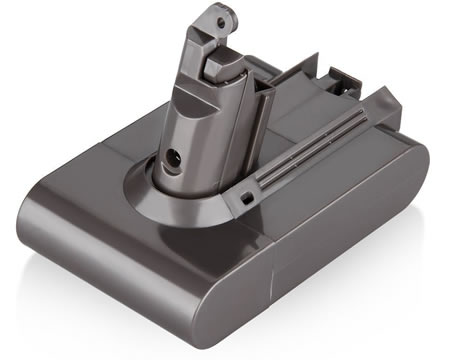
5. Vacuum Battery Is More Than 2-3 Years Old
Even with perfect care, rechargeable batteries have a finite lifespan. Most vacuum batteries should be replaced every 2-3 years with regular use.
What is happening: Calendar aging affects all batteries. Chemical reactions inside the cells slowly degrade capacity, regardless of how often you use the vacuum.
What to do: If your Dyson V7 battery replacement 225403 is approaching the 3-year mark, consider proactive replacement to avoid unexpected failures.
Popular Vacuum Batteries We Stock
Battaussie carry replacement batteries for all major vacuum brands:
- iRobot Roomba – 400, roomba 500, 600, 700, 800, 900 series
- iRobot Braava Jet – 240 floor mopping robot
- Dyson – V6, V7, V8, DC31, DC34, DC35 series
- Neato – XV-11, XV-12, XV-14, XV-21, Signature Pro
- Shark – Cordless stick vacuums
- Euro-Pro – Various cordless models
What to Look for in a Replacement Vacuum Battery
When shopping for a new vacuum battery, prioritize:
- Exact voltage match – Never substitute a different voltage
- Equal or higher capacity – More mAh means longer cleaning sessions
- Quality cells – Premium Ni-MH or Li-Ion cells for reliability
- Safety certifications – CE, FCC, RoHS compliance
- Warranty coverage – At least 60 days money-back guarantee
How to Extend New Cleaner Battery’s Life
Once you install a replacement battery, follow these best practices:
- Fully charge before first use – Even if the battery shows some charge, give it a full cycle
- Let the battery cool before charging – After use, wait 15-20 minutes before placing on the charger
- Store at moderate temperatures – Avoid extreme heat or cold
- Use the correct charger – Mismatched chargers damage batteries over time
- Clean contacts regularly – Dirty contacts cause charging inefficiencies
Do not let a failing battery turn cleaning into a chore. Browse our complete range of vacuum replacement batteries at battaussie and get your vacuum running like new again.