
Your Dyson vacuum battery isn’t dying fast — you’re just using it wrong. These insider secrets will 2-3x your runtime, slash replacement costs, and unlock hidden performance most users never see.
⚡ TIER 1 — DAILY HABITS (The “Stupid Simple” Game Changers)
1. The 20–80% Golden Rule — Non-Negotiable
Never drain below 20%. Never leave it at 100% for days. Dyson’s own lithium cells degrade fastest at the extremes. Keep it between 20–80% like clockwork. One user reported going from 18 months to 4+ years of healthy battery life just by following this single rule.
2. The 15-Minute Cool-Down Before Charging
Here’s what 90% of people get wrong: you plug it in while it’s still hot. Charging a warm battery is like filling a gas tank while the engine’s on fire — it accelerates cell degradation dramatically. Let your Dyson cool for 10–15 minutes after use BEFORE docking. Your machine won’t even charge below 37°F (3°C) — that’s Dyson protecting the cells for you.
3. Monthly Full Discharge — Yes, Really
Once a month, run it to absolute zero. Let it die. Then charge it back to 100%. This “exercises” the cells, recalibrates the fuel gauge, and prevents the dreaded “sudden death at 40%” syndrome. If you own a spare battery? Swap them monthly so BOTH get this treatment.
4. Pick Your Mode Like a Surgeon
MAX/Boost mode devours power. A V11 gets ~12 min on MAX vs ~60 min on Eco. For daily floors? Auto or Normal. Save Boost for that one stubborn stain. Every minute on Max is a minute stolen from your battery’s lifespan. The new Digital Slim’s Eco mode hits 40 min — that’s nearly a full house clean.
5. Wash That Filter Every 3 Months (Or Sooner)
A clogged HEPA filter forces the motor to work harder, draining battery faster. Remove, rinse under warm water, neutral soap, and dry for 24 hours. NO shortcuts. A clean filter = consistent suction = less battery strain. Dyson’s official site confirms this directly impacts runtime.
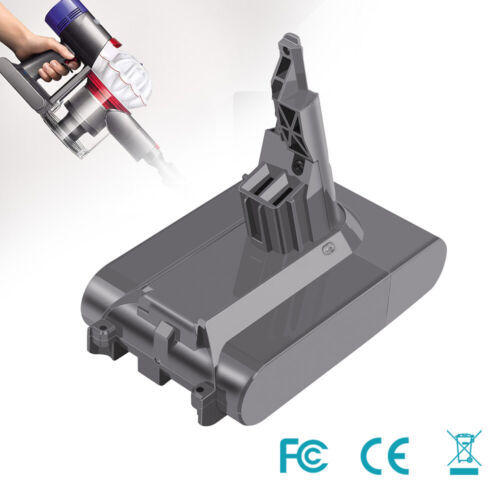
🌡️ TIER 2 — ENVIRONMENT WARFARE (Temperature Is Your Silent Killer)
6. The 18–28°C Sweet Spot (64–82°F)
Dyson explicitly recommends storing between 18°C–28°C. Heat is battery poison — it accelerates chemical aging like nobody’s business. Never leave it in a hot car, near a radiator, or in direct sunlight. That windowsill in July? Battery graveyard.
7. Kill the Humidity
Moisture + lithium = corrosion and potential short circuits. If you live in Florida, Southeast Asia, or coastal UK, store your vacuum in a dry area with silica gel packets. Relative humidity under 60% is the magic number. One Dyson owner in Singapore reported vacuum battery swelling after just 8 months — humidity was the culprit.
8. Don’t Charge on Carpet — Seriously
Charging generates heat. Placing the dock on carpet traps that heat like a blanket. Use a hard, ventilated surface — tile, wood, countertop. Dyson’s charger needs airflow. Give it room to breathe.
🔌 TIER 3 — CHARGING INTELLIGENCE (Where Most People Lose Years)
9. Original Charger ONLY. Period.
Non-Dyson chargers are Russian roulette. Wrong voltage, wrong current = overcharge, overheating, swelling. Dyson’s charger has built-in overcharge, overheat, and short-circuit protection. That 15third−partycharger?It′llcostyou500 in a new battery. Dyson Australia’s official battery care page states this plainly: use the original charger.
10. The 95% Ceiling Trick (Pro Move)
Pull the plug at 95%, not 100%. Keeping lithium cells at full charge 24/7 accelerates degradation. The difference seems tiny — but over 2–3 years? It’s the difference between 45 minutes and 25 minutes of runtime. Top battery engineers confirm this is the single highest-ROI charging habit.
11. 3–5 Hour Charge Window — Don’t Rush It
Most Dyson batteries take 3–5 hours. Fast charging stresses cells. If yours supports it, use standard mode. Your patience today = battery health for the next 3 years. The Gen5 Detect takes ~4 hours — that’s normal, that’s correct.
12. Long-Term Storage? Charge to 50%, Remove, Check Every 3 Months
If you won’t use it for 3+ months: charge to 50%, remove the battery, store cool and dry. Check every 3 months — if below 20%, top back to 50%. This prevents deep discharge death, which is PERMANENT and unrecoverable.
🧠 TIER 4 — ADVANCED / POWER-USER SECRETS (The Stuff That Goes Viral)
13. FU-Dyson-BMS Firmware — The Legendary Unlock 🔥
This is THE most famous Dyson battery hack in existence. Dyson’s V6/V7 batteries use an ISL94208 BMS chip that NATIVELY supports cell balancing — but Dyson deliberately omitted the balancing resistors on the PCB. When cells drift just 300mV apart, the controller kills the entire pack. No more charging. “Battery dead.”
Enter [tinfever]’s FU-Dyson-BMS open-source firmware. It unlocks cell balancing, adds LED diagnostics (yellow = balancing, green = healthy, red = fault), and lets you keep using packs that Dyson marked as dead. Compatible with V6 SV04/SV09 and V7 SV11. Search “FU-Dyson-BMS gitcode” — this single hack has saved thousands of batteries from landfills. The EEVBlog community debated whether Dyson did this intentionally (planned obsolescence) or accidentally (bad earlier firmware). Either way, the fix works.
14. Cell Upgrade on V8 — Drop In Better Cells
Dyson V8 uses Molicel 20700A cells. Swap to Sanyo NCR20700A for better performance. Want to go FURTHER? Widen the cell holder to 21.5mm and drop in Samsung 21700 40T (4000mAh). Internal resistance drops from 11–12mΩ to 8–9mΩ — less heat, longer runtime, more power. Community-tested and proven.
15. Read Your LCD Screen Like a Pro (V11/V15/Gen5)
V11 and newer have real-time battery health monitoring. Check it weekly. Rapid percentage drops or “Battery Service” warnings = early warning. Don’t ignore them. The Gen5 Detect’s LCD shows 12 different states including filter maintenance and blockage alerts — use it.
16. Room-by-Room Cleaning = Battery Interval Training
Don’t vacuum your entire house in one marathon. Break it into rooms. Charge between rooms. This prevents deep discharge cycles and keeps cells in their happy zone. Think of it like HIIT for your battery — short bursts, full recovery, repeat.
🛡️ TIER 5 — DANGER DETECTION & MAINTENANCE (Save Your House)
17. Swelling? STOP. NOW. 🚨
If your battery pack looks puffy, smells weird, or has any residue — disconnect IMMEDIATELY. Place it in a dry plastic container (NOT metal, NOT near flammables) and contact Dyson support. A swollen lithium pack is a fire hazard. No ifs. The 2022 Dyson battery safety campaign specifically warns about this.
18. The Magnet Trick (V6/V7 Maintenance)
When working on Dyson V6 batteries, place a magnet near the reed switch to “wake up” the BMS board before disassembly. This prevents accidental shorts. The board needs 3.3V+ to be alive — always check with a multimeter first.
19. Monthly Connector Inspection — 30 Seconds, Saves Hundreds
Wipe the battery-to-vacuum contacts with a dry cloth. Dust, hair, and grime build up = increased resistance = more heat = faster degradation. Takes 30 seconds. The DIY battery swap guide on whatzhim (smzdm) emphasizes this — dirty contacts are the #1 cause of “new battery still doesn’t work” complaints.
Dyson batteries aren’t disposable. They’re engineered for years of service — if you treat them right. The difference between a battery that lasts 18 months and one that lasts 5 years.